

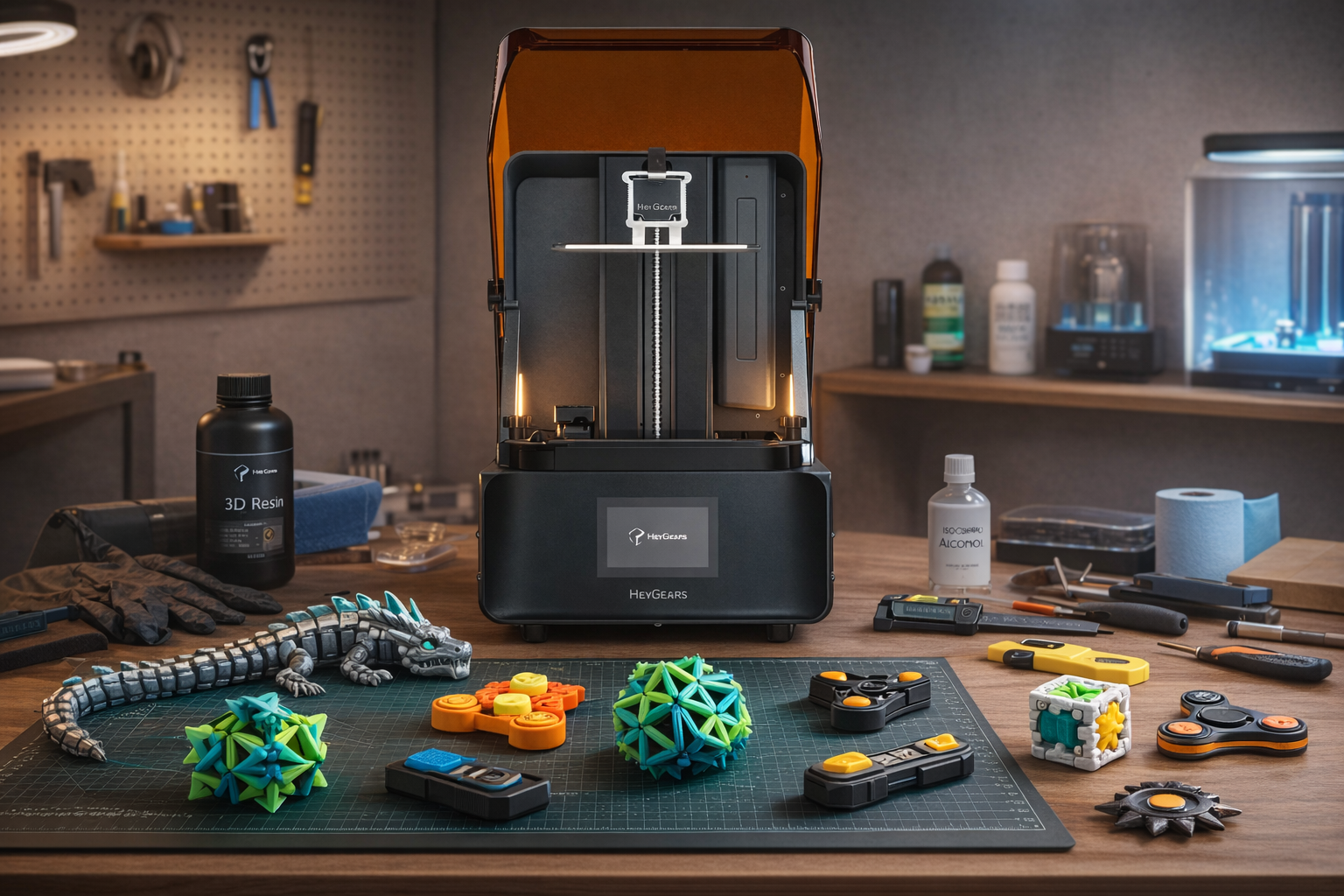
3D printed fidget toys have become one of the most popular DIY projects in 2026, combining creativity, stress relief, and functional design in one small object.
Whether you're looking for smooth mechanical feedback, satisfying clicks, or visually mesmerizing motion, 3D printing allows you to create custom fidget toys at home with minimal cost.
In this guide, you'll discover: 5 of the best 3D printed fidget toy designs, how to print them step by step (FDM and Resin) and practical tips to avoid failed prints and stuck mechanisms.
The 5 Best 3D Printed Fidget Toy Designs of 2026
Let’s explore five of the most popular and rewarding fidget designs you can print in 2026.
Expanding Geometric Star Ball
An expanding geometric star ball is a visually striking fidget toy built with a lattice-like structure that expands and contracts in your hand.
It stands out for its smooth motion and symmetry. It offers both strong visual appeal and repetitive tactile feedback, which many users find relaxing.
Printing Tips: This design requires precise tolerances and consistent print quality to print smoothly. It can be slightly challenging for beginners.
Print-in-Place Planetary Gear Spinner
This is a mechanical fidget toy with a built-in planetary gear system that prints as a single piece, with no assembly required.
Printing considerations: Good clearance, calibration, and low stringing are essential. If the printer is not well-tuned, the gears may not move freely.
Magnetic Haptic Slider
A magnetic haptic slider uses printed parts and embedded magnets to create a sliding motion with crisp tactile feedback. It delivers a premium feel and can often be customized by changing magnet strength or placement. Many people enjoy its precise clicking sensation and pocket-friendly size.
Printing Tips: This project is more advanced because it may require print pauses, magnet insertion, or extra assembly steps.
Micro Mechanical Switch Clicker
Inspired by mechanical keyboard switches, this compact fidget toy focuses on press-and-release action with tactile resistance and rebound. It offers a satisfying click feel in a small, simple format. Some versions also allow different click profiles for a more personalized experience.
Printing Considerations: Because the parts are often small, print precision matters. The final feel depends heavily on dimensional accuracy and the mechanism setup.
Articulated Flexi Dragon
The articulated flexi dragon is a print-in-place model made of multiple connected joints that move fluidly as one piece. If you want to dive deeper into perfecting its interlocking segments, check out our ultimate step-by-step guide to making a 3D printed dragon.
Printing considerations: It is generally easier to print than more mechanical models, but proper layer adhesion and joint clearance still matter for smooth movement.

FDM vs. Resin for Fidget Toys: Key Differences
Before you start printing, the first step is to choose the right type of 3D printer. Different fidget toy designs have different printing requirements, especially when it comes to strength, flexibility, and surface detail.
In most cases, FDM printers are better suited for fidget toys because they are more practical for producing durable, functional pieces meant for repeated handling. Resin printers can also be used, but they are generally better for highly detailed or display-oriented designs rather than fidget toys that will be played with frequently.
Here’s a quick comparison:
|
Feature |
FDM 3D Printing |
Resin 3D Printing |
|
Durability |
Strong, impact-resistant |
More brittle (unless using tough resin) |
|
Detail Level |
Moderate |
Extremely high |
|
Surface Finish |
Visible layer lines |
Smooth and clean |
|
Flexibility |
Better for moving parts |
Limited flexibility |
|
Post-Processing |
Minimal |
Required (washing and curing) |
|
Ease of Use |
Beginner-friendly |
More complex |
Quick takeaway:
- Choose FDM for durability and everyday fidget use
- Choose Resin for detail, aesthetics, and precision mechanisms
How to Print Fidget Toys with an FDM Printer
Printing fidget toys with an FDM printer is not just about loading a file and pressing print. Since many fidget designs include moving joints, snap-fit parts, articulated sections, or rotating mechanisms, your print settings have a direct impact on how smooth, durable, and functional the final toy will be.
Step 1: Choose a Fidget Toy Model Suitable for FDM Printing
For beginners, it is best to start with support-free designs from our Top 5 list, such as the Print-in-Place Planetary Gear Spinner or the Articulated Flexi Dragon.
When selecting a model, pay attention to:
-
Whether it is labeled print-in-place
-
Whether supports are required
-
Whether it has large overhangs
-
Whether moving parts have enough clearance to avoid fusing together
Step 2: Select the Right Filament
Material choice matters a lot when printing fidget toys. In most cases, PLA is the best starting option because it is easy to print, resists warping, and delivers stable detail for most everyday fidget designs.
If you want better impact resistance and durability, PETG can be a good option. If you need flexibility, TPU is also possible, but it is more difficult to tune and is usually not the best choice for beginners.
Step 3: Prepare the Model in Your Slicer
After choosing the model, import the STL or 3MF file into your slicer, such as Cura, PrusaSlicer, or Bambu Studio. At this stage, the goal is not just slicing, but making sure the orientation and core settings are correct.
Make sure to check:
-
Whether the model sits flat on the build plate
-
Whether the moving parts are oriented properly
-
Whether a brim is needed for better adhesion
-
Whether supports are accidentally enabled and could block moving sections
Step 4: Adjust Print Settings for Smooth Movement
This is the most important step for fidget toy printing. Many designs fail not because they cannot be printed, but because the finished parts do not move smoothly afterward.
A solid starting point is:
-
Layer height: 0.16–0.2 mm for a balance of detail and speed
-
Print speed: moderate, not too fast, to protect small details
-
Wall count: 2–3 walls for decent strength
-
Infill: 10%–20% is enough for most toys
-
Supports: avoid them unless the model clearly requires support
-
Cooling: strong cooling helps small and precise structures print better
For print-in-place fidget toys, good printer calibration is especially important, or the joints may fuse together.
Step 5: Level the Bed and Check First-Layer Adhesion
Before starting the print, make sure the bed is leveled and the first layer is well tuned. If the first layer is too squished, lower moving sections may fuse together. If it is too loose, the print may warp or fail. For fidget toys, first-layer quality often determines whether the final mechanism works.
Step 6: Start Printing and Monitor the First Few Layers
Always monitor the first few layers. Since fidget toys are often small and detailed, poor adhesion or slight warping at the beginning can affect both movement and appearance later.
Step 7: Remove the Print Carefully After Cooling
After printing, do not force the model off the bed immediately. Let the print and build plate cool down first. This reduces the risk of damaging delicate moving parts or deforming the bottom layer.
If the model is print-in-place, be extra careful during removal so you do not break the built-in joints.
Step 8: Post-Process and Free the Moving Parts
Many FDM fidget toys feel slightly stiff at first, which is normal. You can gently flex, twist, or press the moving sections to help free them up.
Figuring out what causes stringiness on 3D prints will save you future cleanup. But for your current print, simple post-processing can help:
-
Remove stringing
-
Trim rough edges
-
Lightly sand contact surfaces
-
Carefully clean tight gaps with a hobby knife if needed
Step 9: Test the Toy and Refine Your Settings
Check whether it moves smoothly, whether it sticks, and whether the structure feels strong enough. If the result is not ideal, you can improve the next print by adjusting layer height, temperature, speed, cooling, or tolerances.
Quick Tips for Better FDM Fidget Toy Prints
To get better results when printing fidget toys with FDM, keep these tips in mind:
-
Choose support-free or print-in-place designs when possible
-
Use dry, reliable filament
-
Avoid overly high nozzle temperatures that can blur details
-
Do not over-squish the first layer
-
Slow down for small or detailed models
-
Expect some trial and error, because fidget toys depend heavily on fine tolerances
Most fidget toy failures are caused by poor tolerance, over-extrusion, or improper first-layer settings — not the model itself.
How to Print Fidget Toys with a Resin 3D Printer
Before starting, make sure you have the right tools and setup. Resin printing requires more preparation than FDM, especially for safety and post-processing.
Warning: Fidget toys mean prolonged skin contact. To avoid the sensitization and contact dermatitis caused by standard resins, upgrade to premium materials and execute the post-processing steps below perfectly.
Essential Equipment:
-
Resin 3D printer (e.g., HeyGears Reflex RS 3D Printer)
-
UV-curable resins (standard or tough resin recommended)
-
Slicing software (compatible with your printer)
-
Nitrile gloves and safety goggles
-
Isopropyl alcohol (IPA) for cleaning, or tap water if using water-washable resins.
-
Wash and cure station (or UV curing lamp)
-
Plastic scraper for model removal
Optional but Recommended:
-
Flexible build plate (easier removal)
-
Ultrasonic cleaner (for detailed parts)
-
Fine sandpaper or polishing tools
How to Resin Print Fidget Toys Step by Step?
While these steps apply to most resin printers, we’ll use the HeyGears Reflex RS as our setup to print a flawless, smooth-moving Articulated Flexi Dragon.
Step 1: Choose the Right Fidget Toy Model
Resin works best for:
-
Small articulated toys (like the dragon's interlocking segments)
-
High-detail display fidgets
-
Mechanical designs with tight tolerances
Avoid designs that require the material itself to bend or flex (like squishy toys), as standard resin can be brittle. Focus on mechanical flexibility through joints instead.
Step 2: Import and Prepare the Model in Slicing Software
Load your Flexi Dragon STL file into the slicing software recommended for the Reflex RS.
-
Adjust orientation to minimize supports on the dragon's moving joints.
-
Add supports carefully (use light supports for delicate structures like the dragon's horns, claws, or whiskers).
-
Set appropriate layer height (e.g., 0.05 mm to capture the fine texture of the scales). Tip: Proper orientation is critical, otherwise, small gaps between the body segments may fuse together and prevent movement.
Step 3: Configure Printing Parameters
Typical resin settings:
-
Layer height: 0.03–0.05 mm
-
Bottom layers: 4–6
-
Exposure time: Based on resin type (follow manufacturer recommendations)
The HeyGears Reflex RS 3D Printer often includes optimized presets, which can simplify this step significantly.

Step 4: Prepare the Resin and Start the Print
-
Shake the resin bottle vigorously for 1-2 minutes before use (crucial for a successful print).
-
Pour resin into the vat
-
Check build plate leveling
-
Upload file and start printing
Printing time varies depending on model height, usually between 1–4 hours.
Step 5: Remove and Clean the Print
-
Carefully remove the model using a scraper
-
Rinse in IPA for 2–5 minutes (or simply rinse under tap water for 3 minutes if using a water-washable resin) to remove uncured resin.
-
Use a soft brush if needed for small gaps
Step 6: Post-Curing
-
Place the cleaned model in a UV curing station
-
Cure for 5–10 minutes depending on resin
This step is crucial for achieving full strength and durability.
Step 7: Finishing and Assembly
-
Remove supports carefully
-
Light sanding if needed
-
Test movement (for articulated fidgets)
Important: Resin prints may require slight tolerance adjustments compared to FDM prints.
Pro Tips for Better Resin Fidget Prints
-
Use Water-Washable Resin: Choose a tough, low-odor option like PAWW10 to print durable dragon joints without the hassle of IPA cleaning.
-
Avoid Enclosed Mechanics: Ensure the design allows liquid resin to drain, or internal moving parts will inevitably fuse during printing.
-
Verify Joint Clearance: Choose models like the Flexi Dragon with at least 0.2 mm of space between segments to ensure fluid movement.
-
Control Curing Time: Avoid over-curing, which makes delicate sections like horns and claws overly brittle and prone to snapping.

Common Mistakes When Printing Fidget Toys
When printing 3D fidget toys, even small mistakes can lead to poor movement, weak parts, or prints that simply don’t work. Here are the most common issues U.S. hobbyists and makers run into—and how to fix them for both FDM and Resin 3d printers.
Poor Design Tolerances
Common mistakes:
-
Gaps between moving parts are too tight, causing pieces to fuse together.
-
Overly complex mechanisms that don’t move after printing.
How to fix it:
-
FDM: Use a tolerance of about 0.2–0.4 mm depending on your printer's accuracy.
-
Resin: Ensure liquid resin isn't trapped in the joints; design or choose models with at least 0.2 mm clearance and wash thoroughly.
-
Both: Stick with proven “print-in-place” models when possible and preview the slice before printing.
Incorrect Print Settings
Common mistakes:
-
Layer height too large → rough surface and poor tactile feel.
-
Wrong infill (FDM) or lack of drain holes (Resin).
How to fix it:
-
FDM: Use a 0.12–0.2 mm layer height. Keep infill around 10–20% (most fidget toys don’t need solid infill).
-
Resin: Use a 0.03–0.05 mm layer height for smooth mechanisms. If hollowing the model, always add drain holes to prevent suction cup failures.
Choosing the Wrong Material
Common mistakes: Cheap or brittle PLA (FDM) or Standard Resin that snaps easily when dropped.
How to fix it:
-
FDM: Start with PLA+ or PETG for everyday durability. Use TPU only for designs explicitly made for flexibility.
-
Resin: Ditch brittle standard resin. Upgrade to a Tough, ABS-like, or a premium water-washable resin like PAWW10. Its low water absorption prevents moving joints from cracking over time.
Support and Bed Adhesion Issues
Common mistakes:
-
Adding supports where they’re not needed (which ruins print-in-place joints).
-
Prints lifting or warping off the build plate.
How to fix it:
-
FDM: Choose support-free designs. Use a brim or raft for bed adhesion, and fine-tune your Z-distance.
-
Resin: Angle your functional parts to minimize supports on the moving surfaces. Ensure your bottom exposure time is high enough to stick to the plate.
Skipping Post-Processing
Common mistakes:
-
Using the print straight off the bed without cleanup.
-
Not loosening moving parts properly.
How to fix it:
-
FDM: Remove stringing with a heat gun or hobby knife. Gently move joints to “break them in.” Dry lubricant (like PTFE) can improve motion.
-
Resin: Wash rigorously! Any uncured resin left inside a print-in-place joint will act like superglue once it hits UV light. Do not over-cure, or the toy will become brittle.
Poor Printer Calibration
Common mistakes:
-
No bed leveling → squished first layers that fuse bottom joints.
-
Over-extrusion (FDM) or Over-exposure (Resin).
How to fix it:
-
FDM: Calibrate flow rate, temperature, and tune retraction to stop stringing. Don't over-squish the first layer.
-
Resin: Run an exposure calibration matrix. Over-exposing resin causes parts to swell, which instantly ruins the tight tolerances of fidget toys.
Ignoring Real-World Use
Common mistakes:
-
Designs that look great but break easily
-
Overly delicate prints not suited for daily use
How to fix it:
-
Decide if your toy is for display or heavy use
-
Use thicker walls for durability
-
Avoid sharp edges, especially for kids
FAQ
What Is the Best Resin 3D Printer for Fidget Toys?
A: One of the best options in 2026 is the HeyGears Reflex RS 3D Printer. It offers high precision and stable performance, which is especially important for fidget toys with moving parts.
That said, other printers like Elegoo Saturn series and Anycubic Photon series are also solid choices if you're on a budget, though they may require more manual tuning.
Will PLA Fidget Toys Warp or Melt in Hot Weather?
Yes, PLA fidget toys will warp or deform in high temperatures, such as inside a hot car. If heat resistance is a priority, opt for materials like PETG or ABS instead.
Are 3D Printed Fidgets Safe for Toddlers and Young Children?
No. 3D-printed fidgets are generally unsafe for toddlers due to potential choking hazards from small breakable parts, toxic materials, and sharp edges.
If you plan to create 3D printed fidget toys for young children, it is important to use non-toxic materials, create bigger and more durable designs, and always supervise children while they play with them.
What is the Best Lubricant for Smooth Print in Place Joints?
PTFE or silicone-based lubricants work best. Avoid oils that attract dust.
Conclusion
3D printed fidget toys in 2026 are the perfect marriage of creativity, engineering, and customization. Whether it is the visual appeal of geometric patterns or the complexity of mechanical designs, there is something for every type of creator and enthusiast.
But, as with all things, it all starts with proper preparation, ensuring that you are selecting the right materials, adjusting your printer, and understanding how to fix problems as they arise. Whether it is FDM printing or delving into the world of resin printing, the options are endless.
With the right strategy, you are not only printing fidget toys, but you are creating a sensory experience that is tailored specifically to your tastes.
Share:
How to Make Custom Keycaps: A 3D Print Guide for Keyboards
3D Printed Guitar: A Complete Guide to Printing a Guitar at Home