

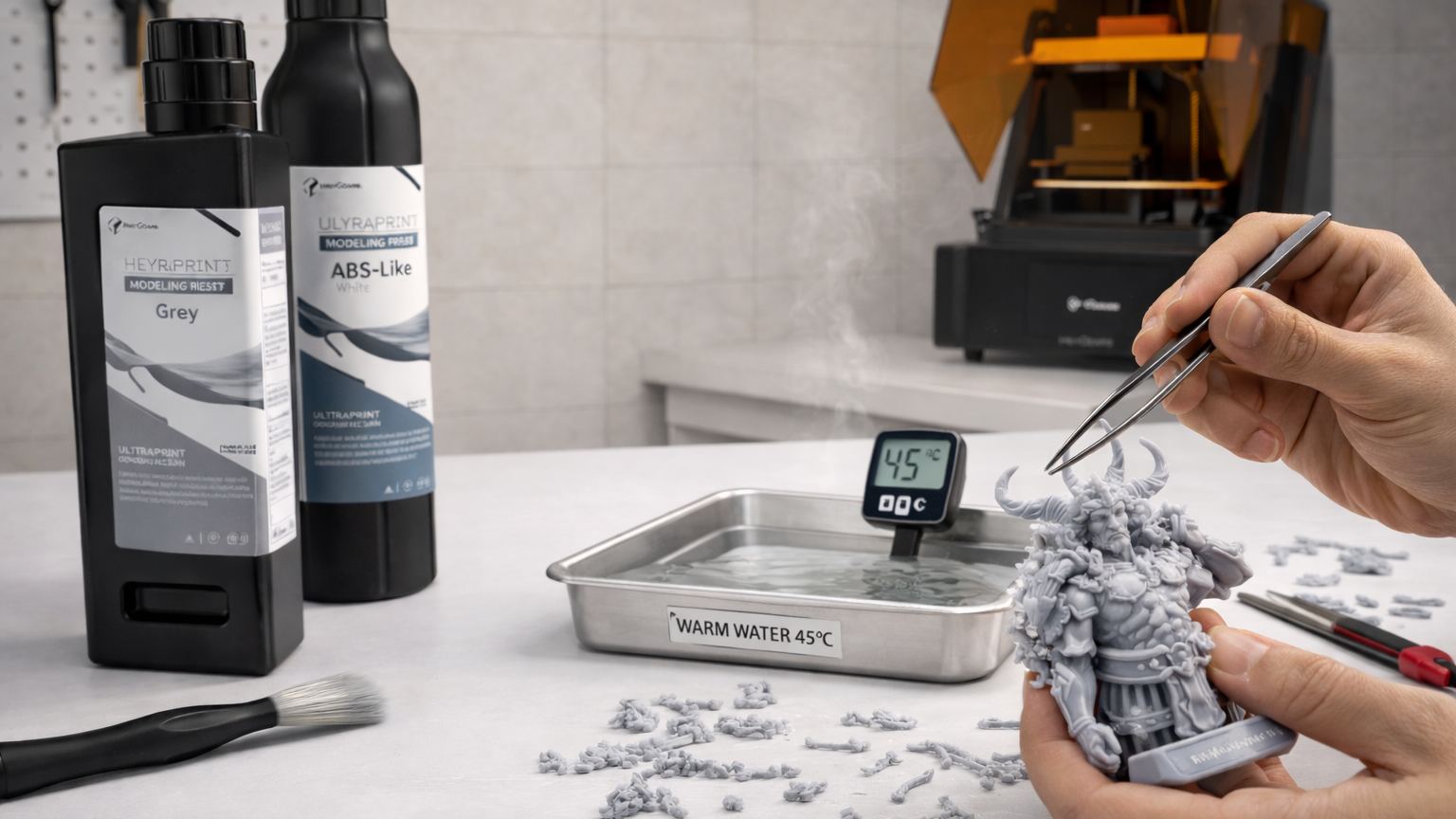
Hot water can indeed soften 3D print resin, especially before it’s been fully cured. This property is often used in post-processing to make it easier to remove unwanted supports or clean up fine details. In this guide, we’ll explain why hot water has this effect, when it’s useful, and walk you through the step-by-step process to do it safely and effectively.
Why Does Hot Water Make 3D Resin Supports Easier to Remove?
The next sections show the real reasons behind this and how to do it safely.
Softer Support Tips and Less Snapping
Hot water slightly softens the resin at the support tips, making them less rigid. This reduces sudden snapping during removal. When supports snap sharply, they often leave marks or pull small chunks from the print. Warm water reduces this risk by making the supports bend and peel off more smoothly.
Reduced Chipping at Contact Points
Support contact points are where most damage happens during removal. Hot water lowers the resin’s brittleness at these points. As a result, the supports detach with less force, and the print surface stays cleaner. This is especially helpful for delicate features and thin walls. It is a great method when learning how to make detailed earrings with a resin 3D printer.
Heat Limits That Prevent Warping
Hot water helps with support removal, but temperature control matters. If the water is too hot, thin parts can bend, and the main print can soften. That is why you should use warm water, not boiling. Warm water makes the supports flexible while keeping the main part stable and accurate.
Step-by-Step Guide to Soften Resin Supports with Hot Water
Resin supports are easier to take away by means of hot water. It also makes the contact points soft, thus supports do not come off with a lot of force. The point is to ensure that the water is warm and not hot.
Step 1: Gather Necessary Tools and Materials
prepared a vessel capable of holding hot water. Have tweezers on hand, as well as flush cutters. Small areas are washed by means of a soft brush. Use a thermometer, should you happen to have one. It assists you in maintaining the right temperature of the water and prevents overheating of the print.
Step 2: Prepare the Resin print
First, remove the part from the build plate. Run under water to get rid of residual resin. This eliminates heating imbalance. Have a quick inspection of the supports and record any slim or weak spots.
Step 3: Heat Water Safely
Use warm water only. Aim for about 40-50 °C (104-122 F). This is sufficient to maximize the support without bending the part. Do not boil water because it may ruin thin walls and finer details.
Step 4: Soften the Supports
Wet the support side by immersion in warm water for 2-4 minutes. With fine print, it should not be soaked all over. The objective is to make the support tips and contact points soft. Check the print frequently. When the supports begin to bend readily, you are in readiness of being removed.
Step 5: Remove Supports Carefully
Begin to take the supports off the bottom and work towards delicate places. Snip supports near the point of contact with flush cutters. In case some support is still hard, reheat it for 30-60 seconds. Apply a little support with the help of the tweezers to avoid stress marks. When pulling, do it softly so as not to tear.
Step 6: Final Cleaning and Drying
Once the support has been removed, rinse the print thoroughly. You can check how to wash and clean 3D resin prints to ensure no residue is left. After rinsing, wipe off contacts using a soft brush. Allow the print to dry using a lint-free cloth or dry it using air, which takes 10-15 minutes. Check the surface, touch it a little bit, and sand it.
Which Resins Benefit the Most from Hot Water?
Understanding how different resins respond to hot water can help optimize your printing or molding process. This section explains which resin types gain the most benefit and why.
Standard Resins
Standard resins often print very sharp details, but their supports can be hard and brittle. This makes removal risky for fine features. Hot water softens the support tips, which reduces cracking and surface marks. The method also helps preserve the part’s precision and improves the final finish.
UltraPrint-Modeling PAS10 Standard Modeling Resin (New Color) is a medium-viscosity standard resin that balances strength and detail. It is ideal for prototypes and display models, especially where surface quality matters. When supports are removed with warm water, the part stays cleaner, and the matte finish looks smoother.

ABS-Like Resins
ABS-like resins are tougher and more impact-resistant. Their supports are usually stronger, which can make removal harder. Hot water helps by softening the support contact points, making them bend rather than snap. This reduces stress marks and improves part integrity.
HeyGears UltraPrint-Modeling PAU11/PAU10 ABS-like Resin is designed for functional parts. They handle impact and load better than standard resins. Hot water makes their supports flexible, which speeds up removal and reduces damage risk. With higher impact resistance, supports don’t break the part during removal.

Water-Washable Resins
Water-washable resins clean easily, but their supports often grip the part tightly. Warm water loosens those contact points and makes removal smoother. This helps most with thin walls and complex shapes.
Common Mistakes to Avoid When Softening Resin
Hot water is useful in terms of the removal of resin support when applied properly. The majority of problems occur due to the fact that the water is excessively hot, the part remains excessively long, or the print is mishandled. Minor errors may influence the shape of parts and the quality of the surface. The following are some of the points that should be avoided and the reasons behind them.
Using Boiling Water
Boiling water is too hot for resin parts. It softens the entire print, not just the supports. This can bend thin walls and distort sharp edges. Use warm water only. Keep the temperature around 40–50°C (104–122°F) for safe support softening.
Soaking Too Long
Leaving the print in hot water too long weakens the structure. Heat spreads into the main body and affects dimensions. Most supports soften within a few minutes. Limit soaking to 2–4 minutes and reheat briefly if needed.
Curing While Wet
Curing a wet print causes uneven results. Water blocks UV light and traps moisture on the surface. This leads to cloudy spots or sticky areas. Always dry the part fully before curing. Let it air dry for 10–15 minutes first.
FAQ
Will Hot Water Cloud Clear Resin?
Yes, it can. Clear resin shows any change quickly, so heat can leave a haze. The risk increases if the water is too hot or the print stays in the water too long. Use warm water only and keep the time short. Dry the part fully before curing to avoid cloudy spots.
Can I Use Hot Water on Models That Are Already Cured?
You can, but it won't help much. After the resin is completely cured, it gets hard. The supporting structures might also be slightly loosened in hot water, and then they will be even more difficult to remove. It is best to soften and cure the part after completion.
Can I Use a Heat Gun or Hairdryer Instead of Water?
Not recommended. The heat guns and hairdryers heat unequally and may distort thin areas. They also stand a chance of melting details. Warm water is safer as it leaves the supports heating evenly and minimizes the possibility of damage.
Conclusion
Hot water is an easy way to remove resin supports. It softens support tips and reduces surface damage. The method works well with standard, ABS-like, and water-washable resins. Keep the water warm, not boiling. Avoid long soaking times. Dry parts fully before curing. Used correctly, this method improves surface quality and saves post-processing time.
Share:
3D Printed Dragon: The Ultimate Step-by-Step Guide and Making Tips
How Long Does UV Resin Take to Cure? A Complete Guide for 3D Prints