

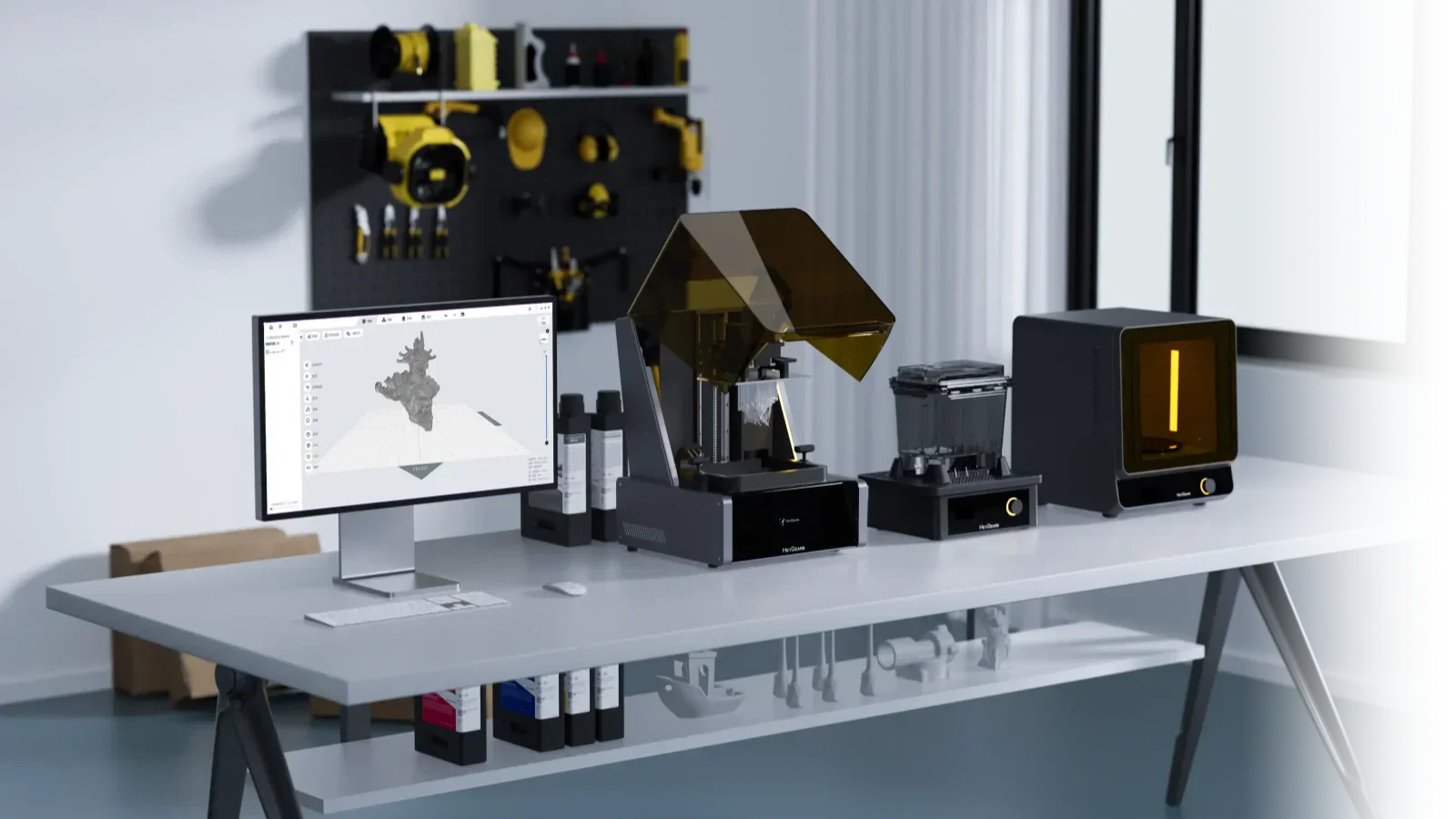
A resin 3D printer shapes parts by selectively curing liquid photopolymer. It uses controlled UV exposure. The process is based on layer-by-layer solidification. However, each layer is defined by light projection rather than material extrusion.
In operation:
-
The build platform lowers into a resin vat to a defined layer height.
-
A light source (typically an LCD-based masking system) exposes specific resin areas according to the sliced model data.
-
The exposed regions solidify, forming one layer bonded to the build plate.
After each exposure, the platform lifts to separate the cured layer from the release film. Fresh resin flows into the gap, and the next layer is exposed. This cycle continues until the full geometry is completed.
This guide covers everything you need to know: from how resin printing works and the advantages of liquid materials, to an actionable guide on choosing the perfect machine for your application.

Why Resin 3D Printers Use Liquid Instead of Filament
In actual printing, the main difference comes from how the material behaves before it solidifies. Resin starts as a liquid. So it settles into shape first, then gets cured. This changes how accurately the part forms.
Higher Precision Than Filament
With filament printing, material is pushed through a nozzle. That always leaves a slight variation in lines and corners.
Resin does not rely on extrusion. The shape is defined by light, not flow. Because of that, edges come out sharper, and small features stay closer to the CAD model.
You notice this immediately in small holes, text, and thin walls.
UV Light Solidification
Each layer is formed by exposing resin to UV light. The printer only cures the exact areas needed for that layer.
There is no dragging or movement of material during shaping. This reduces distortion, especially on detailed parts.
In practice, this is why resin prints look cleaner straight off the machine.
Shape Flexibility of Liquid Resin
Since the material is liquid, it fills small gaps and tight spaces before curing. This helps when printing complex shapes like internal features or fine structures. With filament, these areas often struggle due to limited flow control. Resin handles these shapes more naturally because the material adapts before it hardens.
How Does the Layer-by-Layer Curing Process Work
The process is simple, but small changes in each step affect the result. Most print issues come from poor control in one of these stages.
Resin Layer Formation
The build plate lowers into the resin and stops at a fixed gap. This gap sets your layer thickness. If this spacing is off, the whole print quality drops. Too tight causes sticking. Too loose affects bonding.
Single Layer UV Exposure
The printer flashes UV light for one layer. Only the required shape hardens. This is where detail is defined. Exposure time matters a lot here. Too much exposure causes overgrowth. Too little leads to weak layers.
Peel Force and Layer Separation
After curing, the layer sticks slightly to the film below. The machine lifts the plate to separate it. This step creates stress on the part of. If the force is too high, thin features can bend or fail. Good printers manage this step better, which improves the success rate.
Z-Axis Lift and Cycle Repeat
Once the layer separates, the plate lifts, resin flows back in, and the next layer starts. This cycle repeats hundreds or thousands of times. Stability during this movement affects surface finish and dimensional accuracy.
What Can You Print with a Resin 3D Printer?
Resin is not for everything. It works best where detail and surface quality actually matter in the final part.
Jewelry and Miniature Models
Jewelry patterns need clean edges and fine detail. Resin handles both without heavy finishing. This also makes the process ideal for 3D printed miniatures. Small features like textures and faces print clearly without losing shape.
Dental Crowns and Orthodontic Models
Dental parts require consistent geometry and smooth surfaces. Resin printing fits this well because it can hold tight tolerances and repeat the same result across batches. That is why it is widely used in labs.
Small-Scale Industrial Parts
For small components, resin works when detail matters more than load strength. Parts like housings, connectors, or fit-check prototypes come out closer to final dimensions. This reduces adjustment work later. For larger or load-bearing parts, other processes are usually more practical.
How to Choose the Best Resin 3D Printer
Choosing a resin 3D printer depends on your workflow, not just resolution. You need to look at:
-
How much setup do you want to handle
-
How consistent are the prints
-
Whether the machine fits small batches or production work
Below are three practical tiers based on how you plan to use the printer.
Best for Beginners
If you are starting, the goal is simple. You want stable prints without tuning, calibration, or trial-and-error settings.
The HeyGears Reflex RS 3D Printer is designed for that approach. It combines high resolution with automated workflows that reduce manual steps. The system handles slicing, leveling, and error detection in a controlled way.
Key technical points:
-
8K LCD with 29.7 μm XY precision
-
Force sensor detects 0.1 N and stops failed prints
-
Automatic leveling and resin handling
-
Built-in slicing with minimal manual input
-
Designed for reliable first prints with low setup effort
This type of system is suitable when you want predictable results without spending time on calibration or tuning.

Best Mid-Range Pick
The HeyGears Reflex RS Turbo 3D Printer is better suited for users who need more throughput and flexibility. It builds on the base system but focuses on speed and batch capability.
This model is useful when you start printing multiple parts or working on functional prototypes that require consistency across batches.
Key technical points:
-
Same 29.7 μm XY precision with improved screen contrast
-
Larger effective workflow for multi-part printing
-
The dynamic motion system increases print speed up to 33%
-
Supports pulsing release module to reduce peel failures
-
Adaptive Z-axis compensation for different geometries
This option makes sense when you need higher productivity without moving to a fully industrial setup.

Best for Professionals
The HeyGears Reflex 2 3D Printer is built for precision-focused work. It comprises excellent dimensional accuracy, repeatability, and material control, which matter more than speed.
Usually, this level of system fits dental, jewelry, and industrial prototyping workflows where tolerances are strict.
Key technical points:
-
40 μm XY resolution with ±20 μm accuracy
-
161-zone light engine for uniform curing
-
±1°C temperature control for resin stability
-
Die-cast unibody frame for rigidity
-
Designed for high-performance and engineering resins
This type of printer supports repeatable results across long production runs without drifting accuracy.

FDM vs Resin 3D Printing Comparison Table
Use this comparison to match the technology to your use case.
|
Feature |
FDM Printing |
Resin (MSLA) Printing |
|
Print Resolution |
Lower detail, visible layers |
Very great detail, smooth surfaces |
|
Material Form |
Solid filament |
Liquid photopolymer resin |
|
Post-Processing |
Minimal |
Washing and curing are required |
|
Strength |
Better for functional parts |
More brittle, depending on the resin |
|
Surface Finish |
Rough, needs sanding |
Smooth, high-quality finish |
|
Setup Complexity |
Easier to start |
Requires handling resin and cleanup |
|
Best Use Case |
Functional parts, prototypes |
Miniatures, dental, precision parts |
FAQ
Is Resin 3D Printing Better Than FDM?
Neither is better in general. It depends on the job. If you print small parts with fine detail, resin works better. Edges stay sharp, and surfaces come out clean. If you print larger parts or basic functional pieces, FDM is easier to manage. It costs less and handles rough use better.Most users end up using both for different needs.
Is Resin 3D Printing Safe at Home?
It is workable at home, but you need to treat it like a process, not a hobby toy.
-
You should avoid direct contact with liquid resin. Gloves and basic handling care are enough for most setups.
-
Ventilation matters more than anything. A closed room without airflow will cause issues over time.
If you control these points, it becomes manageable in daily use.
Does Resin 3D Printing Smell?
Yes, you will likely notice the smell during printing. Some resins are lighter. However, the odor is still there, especially in long prints.
In practice, learning how to reduce the odor comes down to ventilation. Without airflow, it builds up quickly and becomes uncomfortable.
Conclusion
Resin 3D printing is best for parts that require a smooth surface straight from the machine without sanding, along with exceptionally clean small features such as fine holes, text, or thin walls. However, the process demands strict control over exposure times, liquid resin handling, washing, and UV curing. Any error in these steps will alter your final result.
To manage these variables, the HeyGears’s resin 3D printer provides a highly controlled setup. It minimizes manual adjustments, ensuring you get consistent, repeatable prints without the need for constant tuning.
Share:
Best Resin 3D Printer for Jewelry
Essential 3D Printing Tools Guide: From Basics to Advanced, Mastering Key Tools