

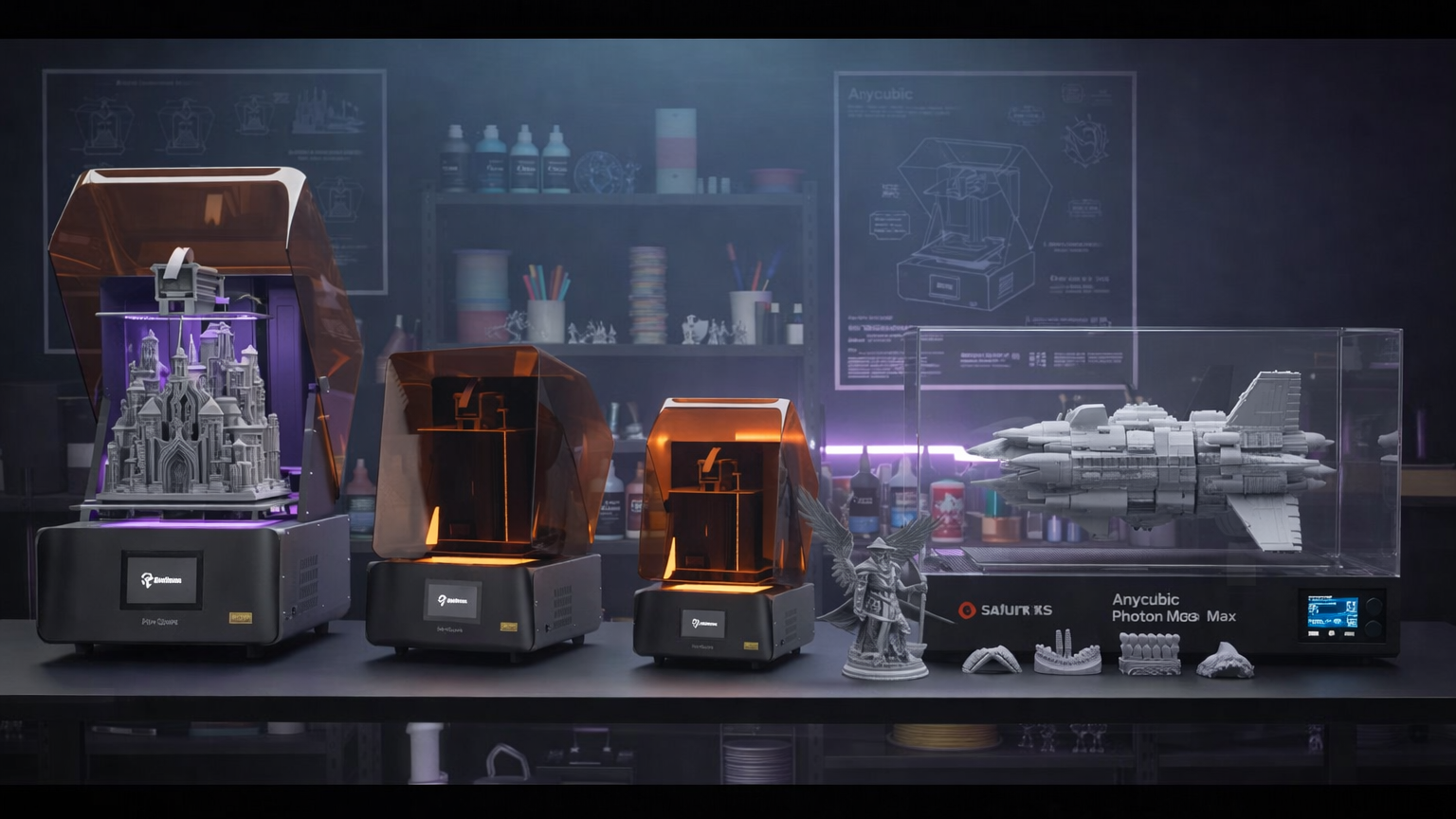
Searching for and choosing the best 3D UV resin printer can feel confusing, as there are so many options available today. However, it’s better to consider essential characteristics such as accuracy, speed, and ease of use before investing.
In this article, we will walk you through the best 3D UV resin printers in 2026 and provide you with practical tips so you can make a good printer choice.
What is a 3D UV Resin Printer?
A 3D UV resin printer is an object printer. It uses an ultraviolet (UV) light to make objects out of liquid resin. The resin is hardened by the printer one layer at a time.
To begin with, you have a vat of resin liquid. The printer's UV light source (or LED array) projects light on the selected cross-sections. Once a layer has solidified, the build platform shifts by a small distance, and another layer is created. This continues until the object is complete.
The resin printers usually produce fine details and smooth surfaces. The lines of the melted filament are not visible on these printers, which are common in FDM prints. Thus, these printers can be used in miniatures, jewelry, and dental models.
Key Factors to Consider When Buying a Resin Printer in 2026
There are a couple of things to consider before purchasing the best 3D UV resin printer in 2026. Some of the common factors that influence how well your prints come out and how easy the printer is to deploy.
Faster Results With Less Setup
Speed matters when you print often. Resin printers differ in how fast they cure layers and how easy they are to start.
Good printers use monochrome LCDs or MSLA panels. These cure layers faster than older RGB screens. That cuts print time without impacting part quality.
Here are the technical aspects to consider:
-
Print speed: look for ~30-60 mm/hour in Z‑axis movement.
-
Exposure per layer: shorter exposure (2-4 seconds) means faster jobs.
-
User interface: touch screens with clear menus cut setup time.
-
Auto leveling: reduces manual calibration before prints.
-
A printer with fast curing and easy controls gets you from file to finished part quicker.
Sharper Details With Better Resolution
Resin printing shines when detail is key. Resolution affects how crisp your edges, text, and small features look.
Two specs matter:
-
XY resolution: pixel size of the screen (often 2–5 microns/pixel). Smaller is sharper.
-
Z resolution: layer height (25–100 microns). Thinner layers give smoother curves.
-
Other details that improve sharpness:
-
Stable light source: consistent UV exposure avoids blotchy areas.
-
Anti‑aliasing: smooths rough pixel edges.
-
Good optics: uniform UV spread across the build area.
Better resolution means more time per print. But for miniatures, dental models, and detailed parts, the trade‑off is worth it.
Bigger Prints With More Build Volume
Build volume sets the largest object you can make in one piece. Resin printers vary from small to quite large.
Consider this:
-
Small: 120x 68 x 150 mm (miniature-size)
-
Medium: -192 x 120 x 200 mm (versatile due to use in parts and prototypes)
-
Big: 300-200-300mm (large models or batches)
Larger builds usually require:
-
Stronger UV light to cure consistently.
-
Better vat design to reduce resin waste.
-
Solid frame to avoid wobble during tall prints.
Bigger builds expand what you can make. Choose volume based on your part size and workspace.
5 Best 3D UV Resin Printers in 2026
These are the finest resin printers of 2026, both entry-level, cost-effective, and large-format, high-resolution models. Consider these options based on value for your actual needs and budget.
Reflex RS 3D Printer (Best Value / Best Beginner)
Reflex RS 3D Printer is a solid starter resin printer with good performance that is reliable and automated, simplifying and making it quick.
This printer is appealing to those users who would like to get fast outcomes with minimum effort. It provides one-click slicing, model repair, and smart aids, which minimize failures - ideal with beginners or small workshop applications.
Technical Specifications:
-
Technology: MSLA LCD (10.3″ 8K mono screen)
-
Build volume: 222 × 122 × 228 mm
-
XY resolution: ~29.7 μm (fine detail)
-
Layer thickness: 30–100 μm
-
XY accuracy: ±15 μm
-
Auto features: auto leveling, force sensor residue detection
-
Connectivity: USB and Wi‑Fi
This model balances price and performance, making accurate parts easy without steep learning curves, great for hobbyists and light commercial use.

Reflex RS Turbo 3D Printer (Best for Speed)
Reflex RS Turbo 3D Printer is a step up from the RS with sharper detail and faster speeds.
It uses a high‑contrast Amber screen and advanced motion algorithms to boost speed while keeping surface quality high. This printer is ideal when throughput matters, such as rapid prototyping or batch printing.
Technical Specifications:
-
Technology: MSLA LCD (10.3″ 8K Amber screen)
-
Build volume: 222 × 122 × 228 mm
-
XY resolution: ~29.7 μm
-
Layer thickness: 30–100 μm
-
Enhanced contrast: boosts light uniformity for crisp detail
-
Speed: faster motion control and vibration‑resistant frame
-
Auto features: one‑click slicing, auto leveling, resin heating optional
Reflex 2 Pro 3D Printer (Best Large Format / Best for Production)
Reflex 2 Pro 3D Printer is built for production environments with a bigger build area and industrial‑grade accuracy.
It’s perfect when you need larger batches or parts in one print run. The advanced light engine and thermal controls support higher‑performance resins and more consistent output.
Technical Specifications:
-
Technology: MSLA LCD (10.7″ Amber Screen Pro)
-
Build volume: 230 × 144 × 350 mm (significantly larger)
-
XY resolution: ~40 μm
-
Layer thickness: 20–250 μm
-
Light engine: 1032 individually controlled zones for uniform curing
-
Features: automatic resin refill (ultrasonic), precise temp control ±1 °C
This unit delivers industrial‑level reliability, making it a good choice for service bureaus or small production lines.

Saturn 4 Ultra 3D Printer (Best for General Use and Detail)
The Saturn 4 Ultra is a powerful, all‑around resin printer with high detail and large build volume. It’s a favorite for miniatures, prototypes, and professional models.
Technical specs:
-
Technology: MSLA (10″ 12K mono LCD)
-
Build volume: ~218.9 × 122.9 × 220 mm
-
XY resolution: ~19 × 24 μm — sharp fine detail
-
Layer thickness: 0.01–0.20 mm
-
Print speed: up to ~150 mm/h
-
Features: tilt release tech, auto sensor for resin level and residue, AI monitoring, Wi‑Fi and USB support
The Saturn 4 Ultra also has mechanical sensors to prevent errors, an easy-to-use touchscreen, and user friendly build plate design. These features render it optimal for hobbyists and professionals.
Photon Mono M7 Max (Best for Large Volume and Precision)
The Anycubic Photon Mono M7 Max is a large‑format printer. It has a high‑precision resin printer, great for big models and batch printing without sacrificing complicated detail.
Technical specifications:
-
Technology: LCD mono (13.6″ 7K screen)
-
Build volume: ~298 × 164 × 300 mm (~14.7 L)
-
XY resolution: ~46 × 46 μm
-
Layer thickness: ~0.01–0.2 mm
-
Print speed: ~≤63–86 mm/h depending on resin and layer height
-
Features: Intelligent Release 2.0 peeling, dynamic temp control, auto resin management
Its massive build area rivals some industrial units and lets you make large props, multi‑part assemblies, or batches in one run without splitting models.
Quick Use Case Suggestions
|
Use Case |
Recommended Printer |
|
Best for Beginners |
Reflex RS 3D Printer |
|
High Speed and Detail |
Reflex RS Turbo |
|
Industrial/Batch Production |
Reflex 2 Pro |
|
General High-Detail Models |
Saturn 4 Ultra |
|
Massive Volume and Precision |
Photon Mono M7 Max |
Tips for Getting Better Resin Prints
Even the best printer can give poor results if you skip a few basics. These tips help you get sharper, cleaner prints every time.
Use Defaults, Then Fine-Tune
Start with your printer’s default settings. Print one model first to see how it behaves. Then adjust exposure, layer height, or speed little by little. This way, you avoid wasted resin and failed prints.
Tilt and Support for Success
Don’t lay your model flat on the bed if you can avoid it. Tilting it slightly reduces suction and stress on the resin. Place supports only where you really need them—too many make cleanup harder and can leave marks.
Clean Setup, Consistent Prints
Check your resin tank and build plate before each print. Clear any cured resin residue or dust. Keeping everything clean helps your layers stay smooth and prevents errors.
FAQ
Is a Resin Print Heavier Than an FDM Print?
Resin prints are usually denser than FDM prints, which often use hollow infill patterns. When a part moves or connects to other pieces, weight becomes a critical factor. To prevent functional problems, comparing FDM vs UV resin weight can help you choose the right technology.
Do You Need to Vent Resin Fumes When 3D Printing?
Yes, ventilation is important as resins often produce fumes. You should print in a properly ventilated area, or use the best VOC air purifier for 3D printing to make your workspace safer.
What's the Difference Between a Resin 3D Printer and an FDM 3D Printer?
Resin printers use resins that are cured with UV light, which results in smooth surfaces and fine details. On the other hand, FDM printers fuse layers of filament. It’s relatively slower and less accurate than a resin printer.
Conclusion
When selecting the best 3D UV resin printer in 2026, consider what you actually want to do. If you’re just starting something simple and reliable, the Reflex RS 3D Printer is a go-to option. It works right away and gives consistent prints.
If speed matters and you don’t want to sacrifice detail, the Reflex RS Turbo 3D Printer is a better option. It handles tricky designs fast, saving you time.
For bigger models or small production runs, the Reflex 2 Pro 3D Printer is the way to go. More space and better control make it reliable for serious work.
It is recommended to choose the printer that fits your needs, use proper supports, keep your space clean, and handle resin safely.
共有:
3D Printing Pen: How to Use It and Common Tips for Beginners
Resin 3D Printer Vat Cleaning Guide: How to Clean the Vat Safely