

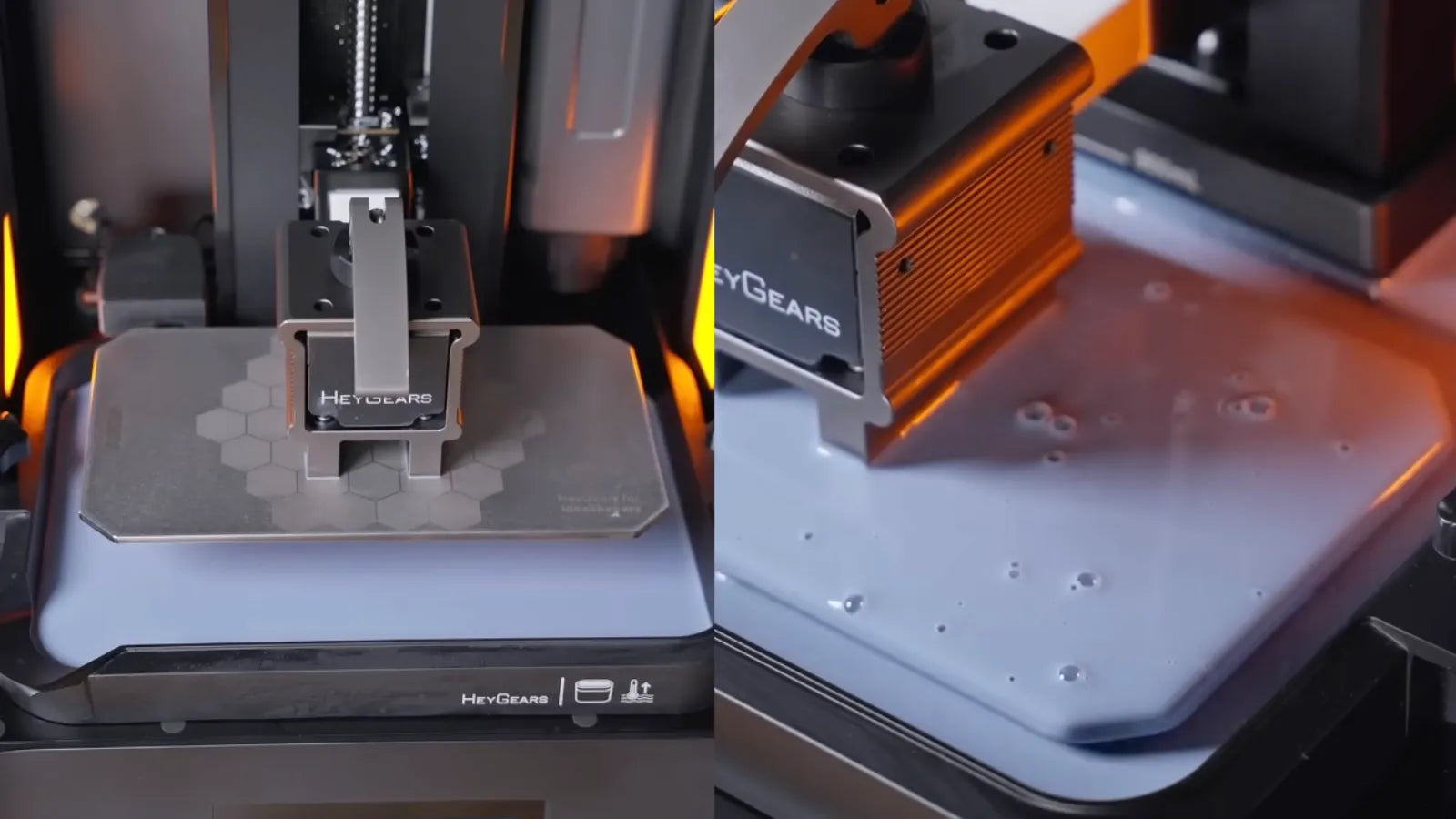
Struggling to bring the most intricate parts of your design to life? Our 3D resin printer is the solution. It is engineered for high accuracy, delivering a flawlessly smooth finish while capturing all your fine details with precision. Even for professionals, the wrong equipment can lead to print failures, surface defects, and wasted resin—our technology is designed to minimize these risks and ensure consistent quality.
Therefore, it is important to understand common 3D printing issues and what you should take to prevent yourself from such hurdles. You should have enough understanding to tell the clear difference between a successful printing and a frustrating print session.
In this blog guide, we will discover the most common challenges you will experience in resin 3D printing and the proven approaches to prevent them and seamlessly manage your printing process to prolong the use of your printer.

Common Issues in Resin 3D Printing
Here are some common 3d printing issues that should be avoided to achieve positive outcomes in the long run. Let us start unwinding each as:
1. Warping and Shrinkage
Warping and shrinkage can occur during or after the printing process, causing the resin parts to distort. When this happens, you may notice the edges curling up or the surface pulling away from the supports. This condition commonly occurs in large models with large cross-sections or thin parts lacking structural support, where uneven curing and shrinkage cause internal tension. As a result, you may end up with cracked or misaligned prints.
2. Failed Prints
One of the most frustrating issues is when the build plate lifts without the model attached, leaving the cured resin stuck to the FEP film or floating in the vat. This "non-adhesion" failure is generally not caused by a loose build plate, but rather by specific calibration or parameter issues:
-
Poor Leveling (Parallelism): If the build plate is not perfectly parallel to the LCD screen (leveling is off), the gap between the plate and the film will be uneven. This prevents the first layer from bonding firmly to the metal plate.
-
Insufficient Bottom Exposure: The initial layers (bottom layers) function as the foundation and require a much longer exposure time than the rest of the model to ensure a strong grip. If the Bottom Exposure Time is set too low, the resin will fail to adhere to the build plate and will instead be pulled away by the FEP film.
3. Excessive Layer Lines or Visible Striations
The resin printing is known for delivering a smooth finish, which can be ruined with layer lines and ridges all over your printed surface. Even intricate prints frequently appear coarse or poorly defined due to these defects. Additionally, if you are printing mechanical or assembly-based models, then it might result in fitment issues. To learn how to eliminate these, check out our guide on how to deal with layer lines in resin 3D prints.
4. Print Resin Overexposure
In standard resin printing, overexposure occurs when layers are subjected to UV light for longer than necessary. This causes the cured resin to expand beyond the intended dimensions, resulting in "bloated" features and a loss of fine textures.
However, this is rarely a concern for HeyGears users. Unlike traditional printers that require manual parameter tuning, our ecosystem utilizes automatic parameter adjustment. Through Blueprint Studio, the printer applies pre-validated settings that are strictly tested by our engineers. This ensures the exposure time is perfectly optimized for your specific resin, preserving sharp details and preventing the expansion issues caused by manual setting errors.
5. Resin Leaks and Spills
Resin leaks can harm printer components and are messy. You should try to avoid using a cracked tank as well as avoid frequently overfilling the resin vat because it results the spills, which are wasteful and harmful. You might also want to know why to replace the FEP film to prevent leaks.
Preventive Measures for Common Resin 3D Printing Issues
Some measures can be used to prevent common issues when using resin 3d printing. Therefore, you can make the printing more accurate and faster.
Levelling-Free Workflow for Consistent Results
While traditional or budget 3D printers often require frequent manual levelling to combat the misalignment caused by repeated peeling forces, the Reflex 2 is designed to eliminate this hassle.
The Reflex 2 features a levelling-free design powered by an advanced Floating Connecting Mechanism. This system allows the printer to autonomously adjust and compensate for platform unevenness within 0.15°, ensuring perfect alignment without user intervention. This means you can bypass tedious setup procedures and rely on the printer to maintain accuracy automatically. Manual calibration is only necessary in rare instances if the printing state becomes abnormal.

Selecting the Right Resin for the Job
Choosing the correct resin is fundamental to preventing failures. Different resins are engineered for specific mechanical properties, such as heat resistance, flexibility, or high rigidity. Using a resin that is ill-suited for your design's geometry can lead to warping, cracking, or structural failure. Always consult the technical data sheet (TDS) to ensure the resin is compatible with your printer and suitable for your intended application.
Streamlined Slicing with Pre-set Parameters
In traditional 3D printing, achieving the perfect print often involves a tedious process of manually tweaking layer height, lift speed, and exposure duration. However, with the HeyGears ecosystem, this guesswork is eliminated. By using Blueprint Studio, our dedicated slicing software, you gain access to pre-validated printing parameters meticulously tested by our engineers. Simply select your specific resin type, and the software automatically applies the optimal settings. This ensures professional-grade accuracy and surface quality without the need for manual calibration or complex parameter adjustments.
Addressing Specific Issues During the Print Process
Dealing with Print Warping
Warping is often a sign of insufficient support or uneven stress distribution. To resolve this, try tilting your model to reduce the cross-sectional area per layer and add additional supports to critical stress points to keep the geometry stable during the peeling process.
Solving Print Adherence Problems
If prints are not adhering to the build plate, first ensure the platform is properly levelled. Most importantly, inspect the build plate for cleanliness. Ensure there is absolutely no cured resin residue or debris left over from previous prints, as this prevents the new layer from bonding correctly to the metal surface.
Preventing Resin Overexposure
In traditional printing, preserving fine details often requires tedious trial-and-error to find the perfect exposure time. However, HeyGears users can skip this step entirely.
Instead of manually guessing or adjusting parameters, the HeyGears resin 3D printer utilizes pre-calibrated Verified Profiles (printing process packages). Our engineers have already optimized the exposure settings for each specific material. You don't need to tweak settings; simply select your resin and perform a one-click slice. This ensures professional-grade accuracy and prevents over-curing without any manual intervention.
Post-Processing Challenges and How to Overcome Them
After finishing a resin 3d printing, there must be some residue on the surface of the printed part. And you can clean it through the following measures.
Cleaning and Curing Resin Prints
Once you are done with the printing step, it is important for you to clean it properly. For this, you can use isopropyl alcohol (IPA) or any other authentic cleansing solution for the removal of excessive resin. As directed by the resin manufacturer, cure the model under UV light after it has dried.
Dealing with Unwanted Residue or Prints Sticking to Supports
Your print may not have been thoroughly cleaned if it still feels sticky after curing. It usually helps to brush the model in a clean IPA bath gently. In order to minimize surface damage and guarantee cleaner results, remove supports prior to the final cure.
Long-Term Maintenance to Prevent Recurring Issues
In order to avoid the issues from recurring, it’s necessary to keep a long-term maintenance for the Resin 3D printer, such as storing and checking the resin vat and FEP film before printing.

Regular Printer Maintenance
With regular maintenance, you can easily avoid printing issues. Every time you print, make an effort to clean the resin vat and FEP film and check for any scratches or clouding. To ensure your device runs smoothly, it is important to lubricate its Z-axis promptly.
Resin Storage and Handling
Always keep your resins stored in a cool or dark place; this will help you prevent them from premature curing. Plus, always filter the resin using a mesh strainer before pouring it back into the bottle. This removes any cured particles or debris that could damage your next print or the FEP film.
Final Tips for Smooth Resin 3D Printing
If you aim to work on complex and bulk projects, then do a small print as a trial test and try to keep your workspace clear to prevent any kind of resin leakage as well as contamination. Plus, always make a document of your results and print settings. This trick will help you in tracking and improving your workflow over the period. Lastly, we recommend that you use only high-quality resins and printers because they will bring consistency in your performance and help in avoiding common printing issues from the beginning.
Conclusion
In the end, we can conclude that every 3D resin printer faces difficulty if you don't know how to operate it efficiently. It is always a good idea to go into detail for achieving successful printing results to avoid 3d printing issues. Our brand is committed to delivering high-quality products like the Reflex 2 3D Printer and the Reflex RS 3D Printer that are compatible with a broader range of high-performance resins. Ready to bring transformation to your 3D printing?
共有:
Estimating Resin 3D Print Costs: A Guide to Calculating Expenses
How to Create a Perfect 3D-Printed Plane