

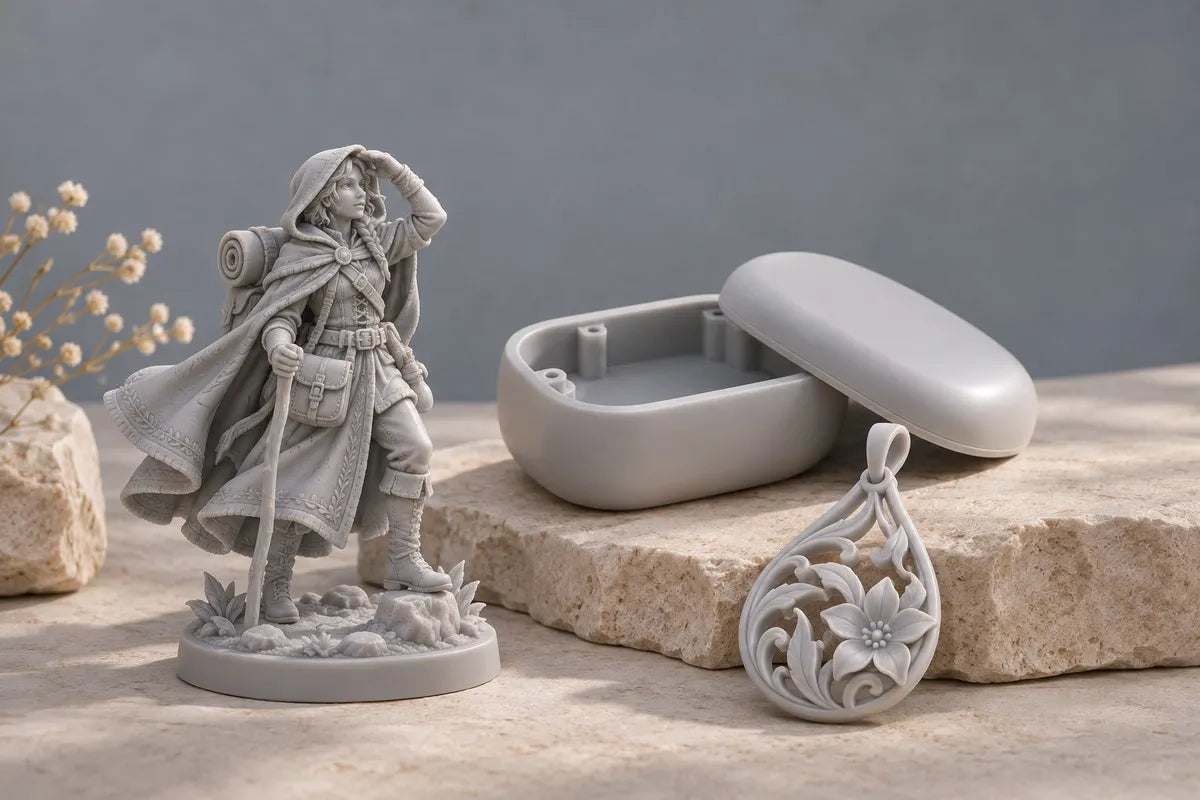
Start with the part you need to make. Fine textures, presentation surfaces, and small assembly features are practical reasons to consider resin. Size, material behavior, and finishing time decide whether it is the right investment.

THE SHORT ANSWER
Choose a resin 3d printer when small features, smooth surfaces, or the behavior of a suitable resin are central to the part’s value—and you can support the washing, curing, and handling workflow. For large, straightforward parts with modest detail requirements, a filament 3d printer is often the more economical starting point.
What changes when you choose resin?
The process of resin 3d printing uses light to cure liquid photopolymer into solid layers. Laser SLA, projector-based DLP, and LCD-based MSLA belong to this family. FDM/FFF instead deposits melted thermoplastic filament. These approaches solve different problems; “resin” describes a process family, not one universal material.
For a miniature’s facial features or a small presentation model’s curved shell, preserving the surface can matter more than maximizing part size. For a storage bin or a rough layout model, that extra finish may add little value. Decide which features the finished part must actually deliver.
Five scenarios where resin makes sense
01 / Fine details are the product
Choose resin for tabletop miniatures, collectible figures, scale replicas, or decorative masters when shallow textures and small edges define the result. This is where high-detail printing earns its place: the detail should remain legible after cleanup and, where relevant, painting.
Write down the details you cannot afford to lose—a face, a fine seam, or a recessed pattern—and ask for a sample containing those features. For example, HeyGears positions PAP10 for intricate miniatures and small replicas and lists RS Turbo compatibility. That is a material-selection starting point; it does not replace checking your own geometry.
Background: HeyGears PAP10 applications and compatibility.
02 / Surface appearance drives the decision
Choose resin for consumer-product mockups, small sculptural forms, or presentation prototypes when visible layer texture would distract from the design. Smooth surfaces help reviewers judge curves, edge transitions, and proportions before production tooling is commissioned.
Plan where supports touch the part. A face that must look good should not become the main support-removal area. Resin still needs cleanup, and some projects need sanding, primer, paint, or polishing. Compare the complete finishing route, especially when a cheaper filament print would need extensive surface work.
03 / Small assembly features need a closer look
Resin is worth considering for a compact enclosure, a detailed knob, or a product assembly whose small features are difficult to assess in a rough prototype. Use the print to inspect access, alignment, and how components come together. These are practical resin printing applications in product development.
Define acceptance criteria before printing: which holes must align, which gaps matter, and what clearance the assembly needs. Check those features after the prescribed washing and curing cycle. A sharp edge or a high-resolution screen alone does not prove that a mating dimension is correct.

04 / A specific functional resin matches the job
Choose resin for a working part only when a suitable functional resin meets the application’s needs. The selection questions are concrete: will it flex, take an impact, resist wear, or sit near a heat source? Review the relevant material data and the required cure conditions, then test the actual design.
For an RS Turbo example, HeyGears lists PAWR10 as compatible and positions it for articulated models, snap-fit parts, and light-duty gears. Treat those as intended applications rather than proof that every printed joint will survive your duty cycle. Repeated loading, geometry, and exposure conditions still need validation.
Background: HeyGears PAWR10 intended uses and printer compatibility.
05 / You repeatedly make small, detailed parts
Resin can suit a studio producing repeated miniature components, product variants, or detailed small-batch models. Judge the batch by the number of usable finished parts, rather than how many objects fit on the plate. Include support removal, cleanup, inspection, and any assembly in the comparison.
Try a representative order before choosing equipment. Record the elapsed time and hands-on work from prepared file to accepted batch. Small-batch photopolymer production is an established application, but the result for your mix of parts depends on the printer, material, layout, and finishing process.
When another technology is the better fit
Use this as a starting point for selection. These are application-based recommendations, not a universal ranking of print quality or strength.
| Your priority | Start here | Why |
|---|---|---|
| Fine miniatures and display pieces | Resin | Small textures and visible surfaces are central to the result. |
| Simple organizers and rough prototypes | FDM / FFF | Modest detail requirements can favor lower-cost filament printing. |
| Large props, trays, and simple housings | FDM / FFF | Consider part size, material use, and the cost of splitting or finishing. |
| Small working components | Resin or FDM | Choose by material behavior, required geometry, and a tested design. |
| Support-free nylon assemblies and functional batches | SLS / MJF service | Powder-bed processes can suit nylon parts and interlocking geometry. |
FDM can also make useful functional parts; strength is not exclusive to resin. For a nylon route, consider an SLS or MJF service when the material and geometry fit the job. Materialise describes MJF PA 12 as suitable for functional prototypes and end-use parts without build supports, with a grainy surface structure.
Choose the workflow as well as the printer
Before buying, make room for printing, washing, drying, curing, and finishing. Resin handling requires a suitable workspace, ventilation, and protective equipment selected using the resin and cleaning-agent safety data sheets. Follow the manufacturer’s handling and waste instructions.
Build a realistic cost per accepted part: include resin used in the part and supports, cleaning supplies, consumables, maintenance, failed attempts, and your time. A low printer price does not settle the cost question. Equally, paying for fine detail makes little sense if the project only needs a large, simple shape.
A useful buying check: choose one representative part, specify its visual and functional acceptance criteria, then compare fully finished samples. Buy the process that meets those criteria at an acceptable total cost.
Why consider the HeyGears RS Turbo?
For detailed models and small prototypes, RS Turbo combines features that address exposure, motion, and setup:
- Optimized Amber Screen: designed to control light for sharper edges and smoother surfaces.
- C5-grade Z-axis: supports stable layer positioning.
- Dynamic Motion Algorithm 3.0: adapts motion to layer conditions.
- Automatic assistance: floating-screen leveling, residue detection, and resin refill help manage routine setup.
- Material flexibility: Open Material Mode gives experienced users adjustable settings for compatible third-party resins.
These features make it a relevant option when detail and a more assisted workflow matter. The heated resin tank is an optional purchase. Material compatibility, supports, and post-processing still affect the result.
Background: Official HeyGears RS Turbo feature descriptions.

Make the choice around your next part
Choose resin when fine detail, presentation quality, or a validated resin material earns its place in your workflow. If that describes the miniatures, models, or prototypes you want to make, explore the HeyGears RS Turbo.
Explore HeyGears RS Turbo →
Share:
Which 3D Printer Features Actually Matter When Buying a 3D Printer?
Is a More Expensive 3D Printer Worth It? Understanding Value Beyond Price