

The nozzle may be the guilty party in case you had problems with inconsistent extrusion, weak layers, or incomplete prints. How to clean a 3D printer nozzle, perhaps, is one of the most significant skills you should acquire, as a user of FDM.
Here are the steps useful in this guide to understand how to detect blocks in nozzles, the safest way of cleaning them, the reason why they occur in the first place, and the long-term preventive measures.
How to Tell If Your 3D Printer Nozzle Is Clogged
Not all clogs look the same. Some develop gradually, and those that occur abruptly in the middle of the print. Early warning signs can be identified, and this knowledge can help you avoid failed prints and redundant replacement of parts.
Safety Notice
A nozzle may have temperatures of more than 200-260 °C, and this is quite sufficient to produce severe burns. Always remember to be safe before you inspect or clean your nozzle:
-
Do not handle a hot nozzle with bare hands.
-
Wear heat-resistant tools or gloves.
-
Turn off and disconnect the printer during deep cleaning.
-
Use in a ventilated place, particularly when heat is used on plastic residues.
Nozzle Clog Symptoms During Printing
The partial clogs tend to deteriorate with time, and when this symptom is ignored, more often than not, the clog will result in total blockage. Discovered this early and addressed it immediately. Some of the most common symptoms of a clogged or partially clogged nozzle are:
-
Under-extrusion (thin or absent layers)
-
Clicking or grinding noises on the extruder motor.
-
Irregular filament flow, particularly during infill.
-
Rough or stringy surfaces
-
Filament curled back up toward the tip of the nozzle.
-
Prints are dying after a few layers.
Quick Confirmation Test
A simple way to confirm a clog is to overheat the nozzle until it reaches the normal heating temperature of the filament. Then, try extruding the filament manually through the printer controls and observe how it flows. If the filament comes out unevenly, drips instead of flowing smoothly, or requires extra force to push through, the nozzle is most likely clogged.
What’s the Safest Way to Clean a Nozzle?
Safety must always be the first thing when talking about the maintenance of a 3D printing nozzle. Find out the intensity of the clog and clean it step-by-step.
Partial Clogs: Low-Risk Fixes
The most common form is a partial clog, and it normally forms over time through residue formation, dust, or other small filament-degrading processes. These clogs do not completely block the nozzle but only hinder the flow in their path. It is easy to clean and does not need to remove the nozzle.
Heat and Purge
Burnt plastic or dust particles (small particles) may stick onto the inside walls of the nozzle over time. Making the temperature a few degrees greater than the natural temperature of printing aids in re-melting these residues to allow them to naturally squeeze out.
-
Light the nozzle with the standard printing temperature of the filament.
-
Heat up by 5-10 °C
-
Filament is extruded manually via the printer controls.
-
Note the flow. Steady, straight extrusion is a good sign.
Cleaning Filament Flush
It means using a special cleaning filament that bonds with contaminants present within the nozzle and pulls them during the extrusion/retraction.
-
Heat the nozzle to the desired temperature (usually 200-230 °C)
-
Load the clean filament.
-
Let the filament rest in the hot nozzle for several seconds.
-
Turn the heating down a notch and take the filament out.
On removal, the filament may have dark specks or streaks of dark color, which are removed debris.
Brush the Nozzle Exterior
Plastic accumulation on the outer part of the nozzle, particularly at the tip. This is sometimes the cause of extrusion issues. This accumulation may disrupt filament flow and result in blobs or stringing. Use a brass wire brush (not very hard to scratch nozzles) and heat-resistant tweezers to clean it.
-
Turn the nozzle on to the printing temperature.
-
Carefully brush around the nozzle tip and threads.
-
Eliminate softened plastic before it hardens once again.
Full Clogs: Deeper Methods
When it is impossible to extrude the filament at all, not even in high temperatures, then chances are, you have a complete clog. Such blockages may be a result of burning of the filament, foreign bodies, or extreme heat creep. At this point, there must be more engaged approaches.
Needle Clearing
Nozzle cleaning needles are special tools that are adapted to fit typical nozzle sizes (0.2 mm to 0.6 mm). Hardened debris stuck at the nozzle end is physically broken up by a needle, so it does not take the nozzle off.
-
Warm the nozzle to the normal printing temperature.
-
Make sure that you insert the needle no more than half an inch.
-
Shake it up and down a little. Do not push.
-
Remove the loosened debris, withdraw the needle, and empty the filament.
Overpressure may cause the nozzle opening to stretch or distort, permanently changing the quality of the print. Always work gently.
Cold Pull and Atomic Pull
It makes it one of the best ways of eliminating internal residue and contamination at the deep end of the nozzle. When the filament is cool, it captures debris within the nozzle. After pulling it out, there is no contamination left behind.
-
Plug in the nozzle and put in nylon or cleaning filament.
-
Let the filament melt completely and fill the nozzle.
-
Allow the nozzle to cool down to 90-120 °C (depends on material).
-
With one hand, remove the filament.
The end of the pulled filament tip is usually a reflection of the internal shape of the nozzle, with unmistakable trapped debris.
Chemical Soaking
Chemical soaking is, as a last resort, a solution to all other failure modes. You need to get the nozzle out of the hotend. Put the clogged nozzle in a solvent that dissolves and loosens leftover plastic, making it easier to clear blockages.
-
Take off the nozzle after it is cooled.
-
Put it into a heat-proof container.
-
Soak overnight
-
Wash and dry fully, and then fit back again.
Why Do Nozzles Clog in the First Place?
You can avoid the same problems by understanding the root causes.
Wet or Dirty Filament
Filament absorbs the air moisture and results in steam bubbles, burnt residue, and inconsistent extrusion. Over time, dust and debris onthe filament may also form in the nozzle.
Temperature and Heat Creep
Excessively cold printing may not melt. Excessive heat in printing may fry the filament. Heat creep is heat that is propagated to the cold area and hardens the filament before it is supposedly solid.
Residue After Material Changes
A change in PLA to PETG or ABS without purging visibly sometimes leaves residues that solidify and lead to clogs.
First-Layer Too Low
When the proximity of your nozzle to the build plate is too high, then there is no place that molten filament can exit, and thus the plastic is pushed further into the nozzle.
Nozzle Wear and Damage
Brass nozzles are easily worn out when printing hard filament, such as carbon fiber or glow-in-the-dark. Worn nozzles are more easily clogged and are to be replaced.
How Can You Prevent Clogs from Coming Back?
It is much easier to prevent than to clean. Keeping good habits and a tidy environment can greatly reduce clog risks.
Keep the Printer and Workspace Clean
Regularly clean the nozzle with a towel and make sure light tracks are free from dust and debris. Avoid placing your printer near open windows or dusty areas to minimize contamination.
Store Filament the Right Way
Store your filament in airtight containers with silica gel desiccants to keep it dry. Using properly dried filament significantly lowers the chance of clogs forming during printing.
Simple Maintenance Routine
-
After Spool Changes: Cleanse out the old filament. Switching materials requires cleaning the filament to avoid clogs.
-
Weekly Quick Check: It includes inspecting the nozzle tip, brushing off any residue, and checking the extrusion regularity.
-
Monthly Deep Clean: It involves performing a cold pull, inspecting the nozzle for wear, and replacing the nozzle if needed.
Alternative 3D Printing Options for Fine Detail Work
FDM printing has physical constraints despite ideal maintenance. Compared to printing large images, miniatures, dental models, or jewelry masters, small nozzles are simpler to clog.
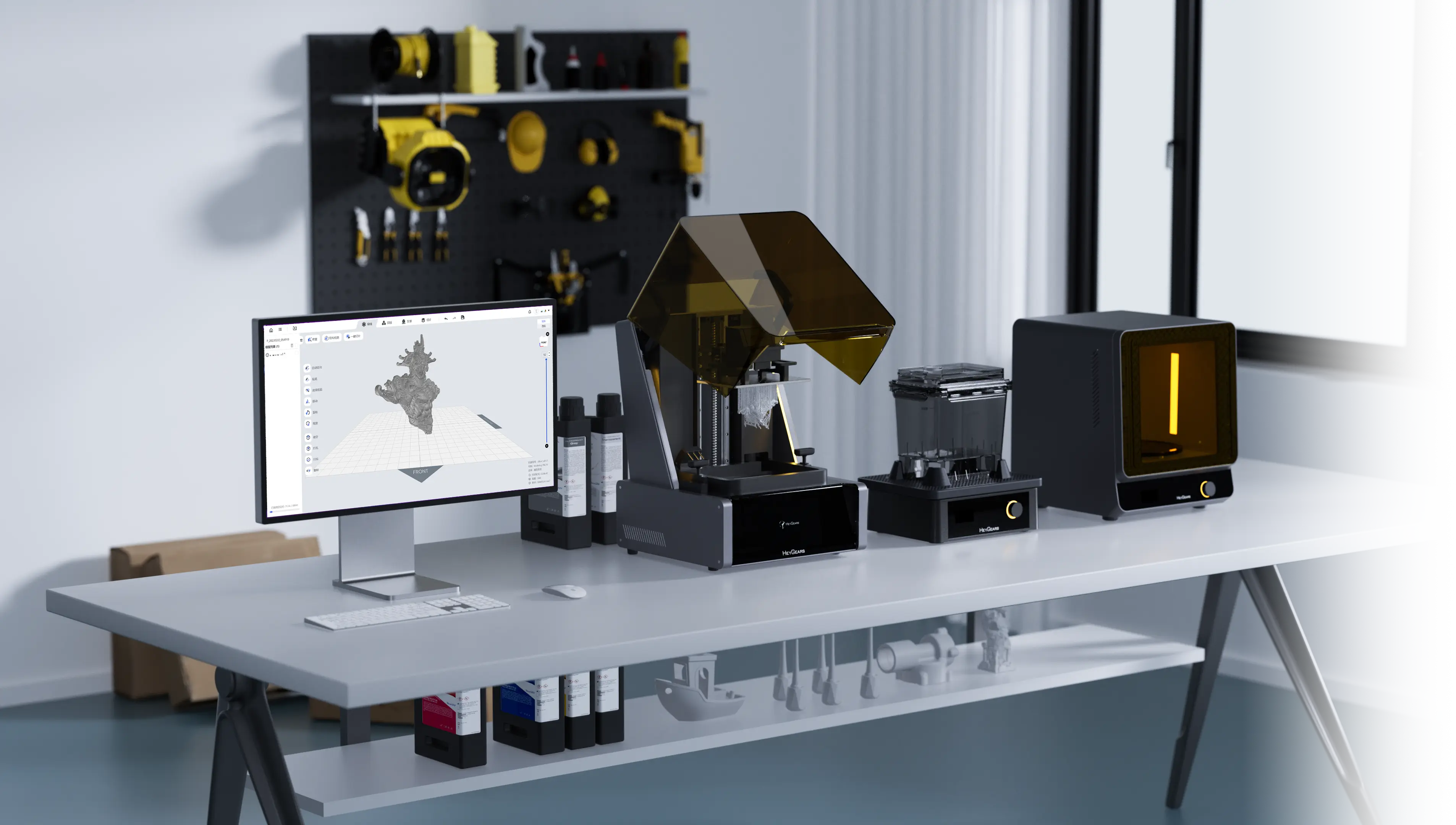
That is the place where MSLA (resin) 3D printing can be used as an alternative option. Printers that use MSLA do not use any nozzles at all.
MSLA Maintenance for Reliable Prints
Rather than cleaning nozzles, MSLA servicing is aimed at: resin tank cleaning, screen protection, and residue detection. The current MSLA systems have automated functionality, residue sensors, and smart calibration, which means that there is a great reduction in manual intervention. For resin printing, A Guide to Common Problems in 3D Printing covers the most common failures and how to fix them.
MSLA Options for Different Experience Levels
For Beginners: The Reflex RS 3D Printer is user-friendly and has one-click slicing, automatic model recovery, smart supports, and a force sensor that can sense resin leftovers as small as 0.2 mm. Its constant temperature regulation and automatic resin handling minimize print failures, which makes it the best choice for users who switch to FDM.

To Professionals and Production: Reflex 2 Pro 3D Printer is a high-volume and high-precision printer. A huge build volume, 1032-zone OptiZone light engine, AI-controlled calibration, and detecting residue to 0.15 mm, it provides consistent results with resin at high viscosity. Its smart temperature regulation and industrial-grade Z-axis feature render it convenient to use in batch production without the continuous upkeep worries that troubled nozzle-based systems.

FAQ
How Often Do I Need to Clean a 3D Printer Nozzle?
Cleaning (lightly) should be done once a week. Deep cleaning should occur after every 1-2 months or woody printing abrasive or specialty filaments.
Does Cleaning Improve Print Quality?
Yes. A clean nozzle enhances the consistency of the layers, surface finish, and dimensional accuracy, and minimizes print failures.
What Should I Clean on an MSLA Resin Printer Instead of a Nozzle?
MSLA printers need to be cleaned in the resin tank and build platform, and their screen and sensors should be checked occasionally. There is no nozzle to clog.
When Should I Replace the Nozzle Instead of Cleaning It?
Replace the nozzle if it's visibly worn or damaged and when cleaning no longer enhances extrusion. If you print rude filaments often, it is also the time to consider replacing the nozzle.
Can I Use Household Items to Clean My Nozzle?
There are some tools, such as acetone (with ABS) or fine needles, that might assist, but more dedicated tools are safer and more efficient.
Conclusion
Now you know how to clean 3d printer nozzle. Clogs can be reduced significantly by regular maintenance, storing filaments properly, and modifying print settings, which will result in a better print quality. Nonetheless, nozzle-based printing can become a bottleneck when your work often requires a level of detail that is so fine that it cannot be readily replicated, high reliability, or consistency on a level of production volume. Modern MSLA resin 3D printers, such as Reflex 2 Pro, provide a stable substitute in these situations, providing zero clogging of nozzles and extremely high accuracy.
共有:
SLA vs. SLS 3D Printing: Which One Is Right for You
How Much Is a 3D Printer in 2026